




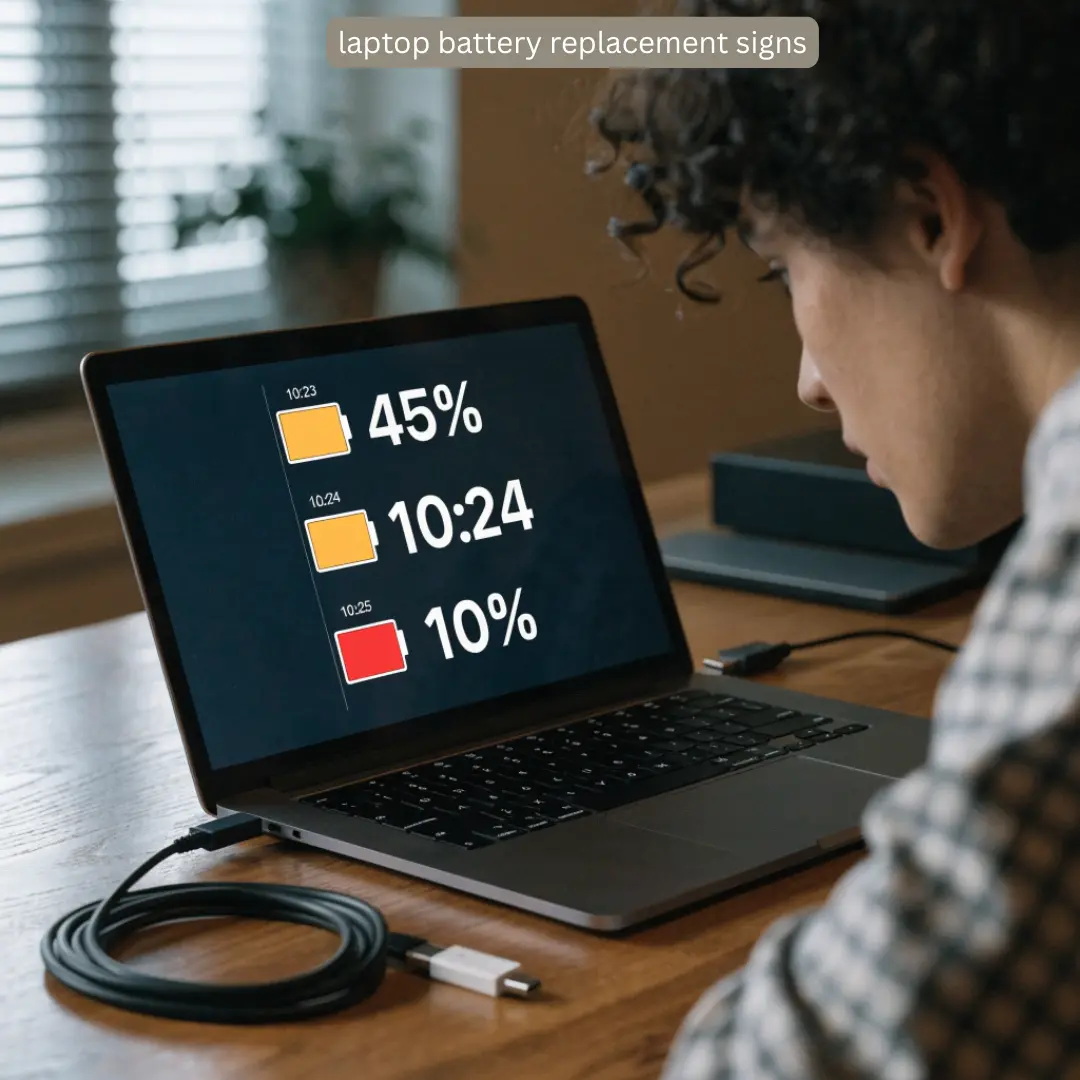
Signs laptop battery is failing can bother you, leaving you waiting for that breakdown moment. A faulty battery can disrupt your ability to work, study, or use your laptop every day. Knowing the warning signs early can help you avoid unexpected shutdowns and losing valuable data. If you’re having strange issues with your laptop’s battery, BuySellRepairs can help diagnose if a battery replacement or another form of laptop repair is needed.
Signs your laptop battery is failing
While you might not need a battery replacement for every issue, these are some common signs that your laptop battery is near the end of its lifespan.
1. Your Laptop Battery Is Not Holding Charge
One of the more obvious laptop battery replacement signs is when it doesn’t seem to be holding power. You may have a full battery in the morning, only for it to lose power quickly within the day.
If your laptop battery is no longer holding charge, it’s worth having its health checked.
2. The Battery Percentage Drops Suddenly
Have you ever had your laptop battery at 40%, and later suddenly dropping to 10%? Drops in your laptop battery percentage are a sign that your battery cells are failing to store power.
A software conflict can also cause false readings in your laptop battery percentage.
3. Your Laptop Shuts Down Unexpectedly
If your laptop shuts down unexpectedly while fully charged, especially when it’s not connected to a power source, it can be frustrating. This happens due to faulty battery.
Always save your work and keep checking battery health before it becomes a bigger issue.
4. Your Laptop Only Works When Plugged In
If your laptop works only when connected to a power source, or goes off immediately when unplugged, it’s a clear sign of a laptop battery failing.
The laptop would behave same way when issue is with charging circuitry, adapter, and motherboard. A professional diagnosis can help you assess the cause.
5. Your Laptop Takes Too Long to Charge
Your laptop battery should take a while to fully charge. If it’s suddenly taking way longer than usual to charge, or gets stuck on a charging percentage, there’s likely an issue with your battery or its ability to charge.
BuySellRepairs can diagnose the issue and help you to fix it.
How to Check Your Laptop Battery Health
Checking your laptop battery health can give you a good idea of its current condition. If you’re on a Windows laptop, you can check your laptop battery health by generating a battery report. MacBook laptops give battery health reports in their system settings.
Look for capacity and other information about the battery’s health. While your laptop battery health isn’t the entire story, it can point you in the right direction if there are other common laptop battery replacement signs present.
When Should You Replace Your Laptop Battery?
Not every laptop battery that’s losing capacity needs to be replaced right away. You should consider a laptop battery replacement if your laptop battery is failing to hold a charge, randomly shutting down, or having other issues with charging. Physical signs that your laptop battery needs to be replaced are just as important. If you’re seeing signs such as a swollen battery, bulging, a raised trackpad, or other physical deformities on your laptop, it’s best to get it looked at by a professional.
For a professional diagnosis, BuySellRepairs can take a look at your battery to see if it needs to be replaced or if something else is causing the issue.
Can You Prevent Laptop Battery Problems?
While laptop battery will age with time, there are ways to prolong its life. Knowing these tips can help you avoid sudden shutdowns and losing data
- Avoid overheating your laptop,
- Make sure that it has proper airflow,
- Use a compatible laptop charger.
- Keeping your laptop updated and checking laptop battery health can help you spot issues early.
Spotting signs that your laptop battery is failing early can keep you from experiencing an inconvenient laptop shutdown unexpectedly. If you’re unsure of the battery issue, BuySellRepairs can help diagnose the issue and figure out what the best course of action for your laptop is.
BuySellRepairs offers reliable laptop repair and battery replacement services for customers looking for a trustworthy laptop repair experience.
FAQs
1. Can I use my laptop while it is charging?
Yes. Modern laptops are designed to work while charging. However, excessive heat can affect laptop battery health, so keep the laptop properly ventilated.
2. Does leaving my laptop plugged in overnight damage the battery?
Usually, no. Most modern laptops stop actively charging once they reach full capacity. However, keeping the device hot for long periods can contribute to battery wear.
3. Can a laptop battery die even if I barely use the laptop?
Yes. Batteries age with time, not just usage. Chemical aging can reduce capacity even when the laptop is mostly stored.
4. Is a slow laptop always caused by a bad battery?
No. Slow performance can result from insufficient RAM, storage problems, overheating, or software issues. Signs laptop battery is failing usually involve charging or power-related behavior.
5. Can I put my laptop battery in the freezer to fix it?
No! That’s an old internet myth. Never freeze, puncture, squeeze, or otherwise tamper with a laptop battery. A damaged battery can become a safety hazard.
6. Can a laptop battery recover after being completely drained?
Sometimes a deeply discharged battery may recover after being connected to the correct charger for some time. If it repeatedly refuses to charge, it may be one of the laptop battery replacement signs.
7. Does a new battery automatically make an old laptop faster?
Not necessarily. A new battery can restore portable runtime, but slow performance may have a completely different cause.
8. Can a faulty charger look like a failing battery?
Absolutely. A damaged charger, cable, or charging port can cause symptoms similar to a laptop battery not holding charge. Professional testing can identify the actual problem.
9. Should I keep using a laptop with a swollen battery?
No. Stop using it and seek professional assistance. Swelling is a serious physical warning sign and should not be treated as a normal laptop battery replacement sign.
10. Can BuySellRepairs test my battery before replacing it?
Yes. BuySellRepairs can inspect the battery and charging system to determine whether the battery actually needs replacement or whether another component is causing the problem. This can prevent an unnecessary repair.




One thought on “How to Tell If Your Laptop Battery Is About to Fail”