Laptop care tips for students can actually help a lot than most people think. The laptop is a student’s companion in completing assignments, conducting research, creating presentations, listening to online lectures, playing games, and managing personal information. Over time, minor mistakes can cause the device to overheat, malfunction, or become slow. Fortunately, there are simple ways to protect your laptop. BuySellRepairs suggest some basic maintenance procedures to prolong laptop’s life, avoid unnecessary repairs, and maintain reliability during the school year.
Laptop Care Tips for Students That Really Make a Difference
Knowing how to protect your laptop starts by making sure you treat it like any other device, and schedule regular maintenance.
- Never place your laptop in a non-padded bag or sleeve. Do not stack books, chargers or other heavy objects on top of it, pressure could damage the display or lid.
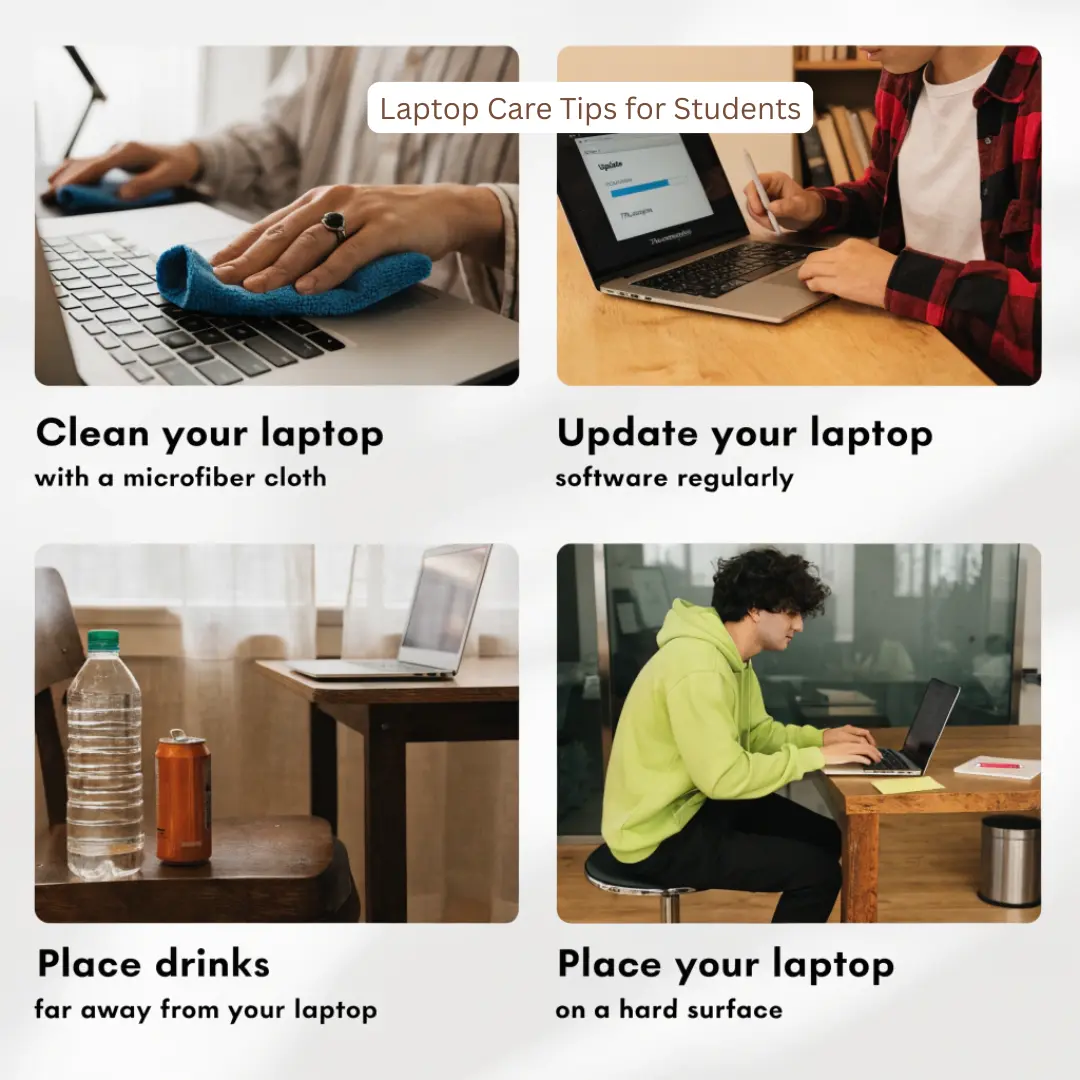
- Try to keep food and drinks at a distance from the laptop, whenever possible. When it comes to the keyboard, motherboard or charging components, it can only take 1 spill or it can become a costly repair.
- Provide it with a smooth, secure work surface. Do not use laptop for extended periods on beds, blankets or thick cushions. These surfaces can block ventilation openings and cause heat to build up.
- To avoid overheating place the laptop on a firm flat surface, and keep away from the air vents. Overheating is that when the temperature goes up and up, it can impact on the internal components and battery performance.
- You should not forget about your screen either. Open and close the lid. Do not put anything between the laptop screen and keyboard. A pen, for example, can be enough to put pressure on the screen, causing damage.
Laptop maintenance tips for students
Laptop maintenance tips for students helps to avoid small problems becoming into major ones.
- Update operating systems, applications and security software. Softwares are updated frequently to make tasks faster, to fix bugs and to fill in security holes.
- Managing storage is important. Students fill up their storage with lecture recordings, PDFs, photos, downloads and large project files. Keep unnecessary files off the hard drive periodically and transfer important files to secure cloud storage or a hard drive.
- Backups are particularly crucial. It is probably much more stressful to lose out on a semester’s assignments to a failed drive than to have it fixed. BuySellRepairs suggests to always keep at least one copy of key academic and personal information.
- Be careful with handling the charger. Never pull the cable too hard or let the cable drag across pathways where it can trip up someone. Stress over the charging connector can lead to a problem with the port or cable over time.
- Never force a USB device, headphones or charging connector into any port. If it’s not fitting easily, inspect the port for debris or damage.
- Students should not install anything that they do not know or have not been asked to install, just because it is free. Suspicious downloads may lead to malware infection, slow down the system or lead to compromise of personal information. Install only quality programs and uninstall unwanted ones.
- Another best ways to protect your laptop from damage is to take breaks from your laptop periodically. If you have demanding applications running for hours and the device is placed on an under-ventilated surface, this can generate unneeded heat.
By following these simple laptop maintenance tips for students, big laptop problems are easily avoided.
When Professional Laptop Repair Makes Sense
With all the best intentions, laptops can have issues, be it from wear-and-tear or from unseen accidents. A cracked screen, damaged charging port, overheating, damaged battery, liquid exposure or sudden stopping issue should not be ignored.
BuySellRepairs helps students determine if the issue is a simple repair, component repair, or an extensive repair rather than replacement. Consistency is the best way to protect your laptop from damage. Handle your device with care, keep it cool and clean, secure your files and deal with unusual symptoms early on. The following activities will help protect your laptop during lectures, exams, projects, and more.
Need some simple tips to keep your laptop safe from harm? Get started with these Laptop care tips for students right now. BuySellRepairs will help you get back to work with a minimum inconvenience when your laptop does need attention.
FAQs
1. Can I charge my laptop overnight?
Modern laptops generally manage charging automatically, but keeping the device plugged in constantly can contribute to battery wear over time. For better laptop care tips for students, unplug it when practical and avoid unnecessary heat while charging.
2. Can I put stickers directly on my laptop?
Yes, but use removable laptop-safe stickers. Avoid covering ventilation openings, vents, speakers, cameras, or important labels. Removing poor-quality adhesive later can also leave residue.
3. Is it okay to eat chips while using my laptop?
Your laptop won’t judge your snack choice—but crumbs can get under keys and interfere with the keyboard. Keeping food away is one of the easiest ways to practice how to take care of a laptop for students.
4. Can I use a laptop while charging?
Yes. Using your laptop while charging is generally fine. However, demanding tasks such as gaming or video editing can produce extra heat, so proper ventilation remains important when considering how to protect your laptop.
5. Should I shut down my laptop every night?
Not necessarily. Sleep mode is convenient for short breaks, while restarting occasionally can help apply updates and clear temporary system issues. A full shutdown is useful when you won’t be using the laptop for an extended period.
6. Can I clean my laptop screen with hand sanitizer?
Please don’t. Alcohol-based sanitizers and harsh household cleaners can damage screen coatings. Use a soft microfiber cloth and a cleaner specifically designed for electronic displays.
7. Is a laptop stand really necessary?
Not for everyone, but it can improve airflow and raise the screen to a more comfortable viewing position. It’s especially useful if you frequently study for several hours at a desk.
8. Can I leave my laptop inside a hot car?
Definitely not. Extreme temperatures can affect the battery, display, and internal components. Avoid leaving your laptop in a parked car, particularly during hot weather. It’s one of the important ways to protect your laptop from damage.
9. How often should I clean my laptop keyboard?
A quick surface clean every few weeks is reasonable for most students. If you study in dusty environments or eat near your laptop frequently, clean it more often. Regular cleaning is one of the simplest laptop maintenance tips for students.
10. Does closing unnecessary browser tabs really help my laptop?
Yes, especially if you have dozens of tabs open. Unused tabs can consume memory and system resources. Closing them can improve responsiveness and reduce unnecessary workload—an easy habit when learning how to protect your laptop and maintain everyday performance.