




Part 1
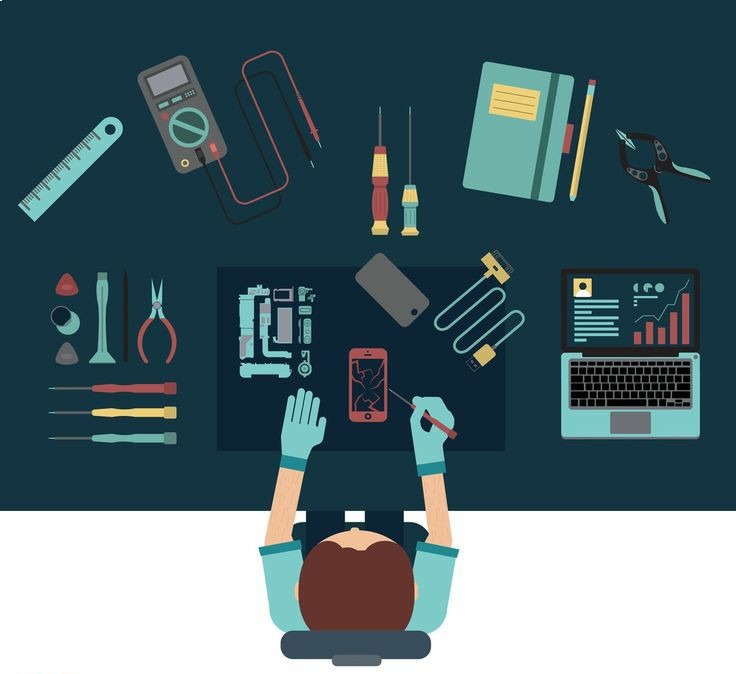
Imagine a world where your favourite electronic devices never break down. Although it’s a fantasy for devices to never break down, the next best option is learning how to repair them when they do. From the moment we wake up to when we go to bed, our reliance on an array of electronic devices—be it wearables, smartphones, or smart home systems—defines our contemporary, tech-saturated existence. Though instrumental in improving our work output, leisure activities, and social interactions, these technological tools are still prone to physical deterioration and functional decline. The good news? Many common issues are repairable, often at a fraction of the replacement cost, especially when you seek electronics repair services in Trenton or computer hardware repair in Lawrence. Join us in this first installment of our electronics repair series as we unlock the secrets to extending your devices’ lifespans.
We’ll explore why repairing your devices is often the smarter choice, both for your wallet and the environment, introduce you to the gadgets most frequently brought in for repair, and equip you with the knowledge to identify repairable issues. Get ready to transform from a frustrated tech user to an informed device owner!”
Why Electronics Repair is Essential
In an era where the latest gadget is always just around the corner, the value of electronics repair often goes unrecognized. Yet, this overlooked practice holds the key to numerous personal and global benefits. Electronics repair isn’t only about mending a broken screen or replacing a worn-out battery; it’s about embracing a way of life that is environment friendly, protecting our valuable data, and making wise financial choices. By opting for repair over replacement, you’re not just extending the life of your beloved gadgets, you’re participating in reducing your carbon footprint movement.
Common Devices Repaired in an Electronics Shop
In the realm of electronics repair, not all devices are created equal. Some gadgets are more prone to damage or malfunction, making them frequent visitors to repair shops. By understanding which devices commonly need fixing and what issues they face, you’ll gain valuable insights into the lifespan and potential weak points of your gadgets.
a. Computers & Laptops
Computers and laptops are essential tools in both personal and professional settings, and they often require repairs to maintain their performance and longevity. For reliable support, consider computer repair services in Princeton.
- Critical Hardware Repairs
- Memory (RAM) upgrades or replacements due to insufficient memory or faulty modules.
- Hard Disk Drive (HDD) replacements are required when the drive fails or becomes too slow.
- Motherboard, CPU, and graphics card repairs or replacements necessary after component failure or to improve performance.
- CPU thermal paste reapplication to address overheating caused by dried or inefficient paste.
- Graphics card repairs or upgrades to fix display issues or enhance graphics performance.
- Essential Software solutions
- Operating system reinstallations or upgrades to resolve system instability or to benefit from new features.
- Antivirus and anti-malware software installations to protect against security threats.
- Data recovery services for lost or corrupted files due to accidental deletion, hardware failure, or malware.
- Driver updates and conflict resolutions to ensure hardware compatibility and optimal performance.
- External Component Fixes
- If your laptop screen is cracked, flickering, or malfunctioning, replacing the LCD or LED is crucial, which is why computer screen repair in Princeton is vital for getting your device back to working order.
- Keyboard and trackpad repairs or replacements are required when keys are unresponsive or the trackpad is malfunctioning.Battery replacements for laptops are necessary when the battery no longer holds a charge, leading to short battery life.Power jack repairs to ensure consistent charging when the jack is loose, damaged, or not accepting power.
- Cooling fan replacements to prevent overheating and maintain system performance.
- Preventive Maintenance Services
- Regular system cleaning (physical and software) to remove dust and optimize system performance.
- Disk defragmentation and optimization to improve data access speed and reduce wear on the drive.
- Hardware diagnostics and stress testing to identify potential issues before they cause failures.
- Backup solution implementations to protect against data loss.
- Performance Optimization Techniques
- Disabling unnecessary start up programs to reduce boot time and improve system responsiveness.
- Uninstalling unused applications to free up resources and reduce clutter.
- Monitoring and managing background processes to ensure they do not impact performance.
- Adjusting visual effects for better performance by reducing unnecessary graphical enhancements.
- Implementing efficient file organization and storage practices to optimize disk usage and access times.
Regular maintenance and timely repairs can significantly extend the life of your computer or laptop.
b. Game Consoles
For gamers, their game console is their gateway to a world of entertainment. However, consoles can suffer from issues such as:
- Controller Problems: Buttons sticking, joystick drifting, or connection issues with wireless controllers.
- Overheating and Cooling System Repairs: Consoles can overheat due to dust build-up or fan malfunctions, which can lead to the device shutting down unexpectedly.
- Disk Drive Issues: Problems reading game discs or getting stuck in the disk tray.
Fortunately, instead of buying a new console, these problems can often be fixed through game console services in Lawrence, offered by a professional repair shop.
c. Mobile Devices
Mobile phones are probably the most frequently repaired items. The most common issues include:
- Screen Replacements: Dropping your phone and cracking the screen is an all-too-common occurrence, but it’s also one of the simplest repairs.
- Battery Issues: If your phone’s battery drains too quickly or fails to charge, a repair shop can replace it with a new one.
- Charging Ports and Button Malfunctions: Over time, ports can get damaged from frequent use, and buttons can stop responding. Our mobile charging port repairs services in Trenton can ensure your device is back to normal quickly and affordably.
Mobile device repairs are often quick and affordable, especially compared to buying a new phone.
d. Tablets and Wearables
Tablets and wearables, such as smartwatches, are becoming increasingly popular, and with that comes the need for repair services:
- Screen and Battery Replacements: Just like smartphones, these devices are prone to screen cracks and battery issues.
- Software Glitches: These devices may face software-related problems that can affect their performance or connectivity.
- Charging Port Repairs: Over time, the charging ports on tablets and wearables can become damaged, affecting their ability to charge properly.
- Water Damage Restoration: Accidental exposure to water can damage these devices, requiring professional cleaning and repair to restore functionality.
Whether it’s an Apple Watch or a Samsung tablet, our tablet repair services in Trenton can help you continue using your device without needing to buy a new one.
Stay tuned for part 2 of our electronics repair series, where we’ll dive deeper into DIY repair tips and how to maintain your gadgets for longer-lasting performance.



One thought on “Breaking down Electronics Repair What You Can Fix and How”