Consider being unable to use your computer when you have a major deadline or having your laptop shut down in the middle of your video conference. Such irritating experiences are not mere cases of annoyance, but weak signals of some underlying problems. Although instant reboots could resolve minor bugs, unaddressed issues could be potentially costly as they translate the simple solution into an expensive device overhaul.
Being aware of the symptoms when your laptop requires professional repair would help you save money, avoid data loss, and result in a longer lifetime for your laptop. In New Jersey, whether it is computer repair services in Princeton or even computer hardware repair in Lawrence, you can receive timely assistance much easier than one might expect.
1. Persistent Overheating Issues
It is only natural that a laptop warms up when in use, but constant high temperatures are a red sign.
• Fan Noise and Hot Surfaces – Make sure that your fan is not generating a lot of noise during lighter tasks. If yes, obstruction in airflow or the cooling fan may be clogged with dust.
• Sudden Powering Off – Most laptop computers have pre-determined shut-downs when they overheat to prevent damage.
• Less Efficiency at High Temps – In case your laptop is getting progressively slow when warm (thermal throttling), there is a high chance the cooling system needs servicing.
The negligence of overheating may worsen your CPU, GPU, and motherboard which might sum up to an expensive repair even for the best electronics repair services in Trenton.
2. Drastic Decrease in Battery Life
Batteries have a natural degradation process that takes place over time, but a sudden decline in battery performance may be a failing battery or power system.
• Short Runtime – Does your fully charged laptop run less than one hour? Then this is probably an indication that the battery is reaching its expiry date.
• Charging Problems – Problems charging could be due to a faulty battery, port, or a faulty adapter.
• Swollen Battery – The bulging battery is dangerous; it must be taken to a professional to replace it.
3. Strange Visual Artifacts or Display Problems
One of the first trouble areas that you will find is your screen.
• Flickering Or Dead Pixels – May be loose wires or a defective display panel.
• Lines, Spots or Distortion – are often indicative of a failed graphics card or display cable.
• No Display Even with Power – This is sign of a worse display problem or a motherboard issue.
If you notice these symptoms, seek computer hardware repair in Lawrence or nearby areas before the issue worsens.
4. Keyboard and Trackpad Malfunctions
Your laptop is only as good as its input devices.
• Unresponsive Keys – It may be dirt, liquid damage, or a broken connection.
• Unstable Trackpad – it can be either physical wear, dirt, or hardware problems.
• Random Inputs – Indicates that there is something wrong with the electrical shorts or motherboard.
Professional repairs can restore these essential controls quickly.
5. Audio and Connectivity Issues
Modern laptops rely on audio and networking for everyday use.
• No Sound – Could be because of broken speakers, headphone jack or audio card.
• Wi-Fi & Bluetooth Drops- May be a dying wireless card or damage to antennas.
• USB Ports Not Working –This can be due to physical damage caused by rough usage or due to motherboard faults.
Lap repair is essential as soon as possible in case you work remotely with your laptop. The same applies for users who also rely on mobile repair services in Lawrence or smart phone services in Lawrence for other devices.
6. Unusual Boot-Up Behavior and Errors
Startup problems are among the most urgent.
- Blue Screen of Death (BSOD) – Often linked to bad drivers, failing RAM, or storage devices.
- Stuck on BIOS/UEFI – Suggests boot drive or OS corruption.
- Slow Boot & Freezing – Could mean drive failure or low system resources.
If your laptop struggles to start, bring it to trusted computer repair services in Princeton to prevent total system failure.
7. Unusual Noises from Inside
Grinding, clicking, or buzzing noises often indicate mechanical failure.
- Clicking Hard Drive – A sign of imminent failure — back up your data immediately.
- Fan Rattling – Could mean loose screws or worn bearings.
- Electrical Buzzing – May point to power supply or motherboard issues.
8. Software Glitches That Won’t Go Away
While software problems can sometimes be fixed with updates, recurring glitches may indicate failing hardware.
- Programs Freezing – Could be caused by bad RAM or failing storage.
- Corrupted Files – Often linked to a failing hard drive or SSD.
- Random Crashes – May signal overheating or motherboard problems.
9. Physical Damage or Liquid Spills
Drops and spills can cause both immediate and delayed damage.
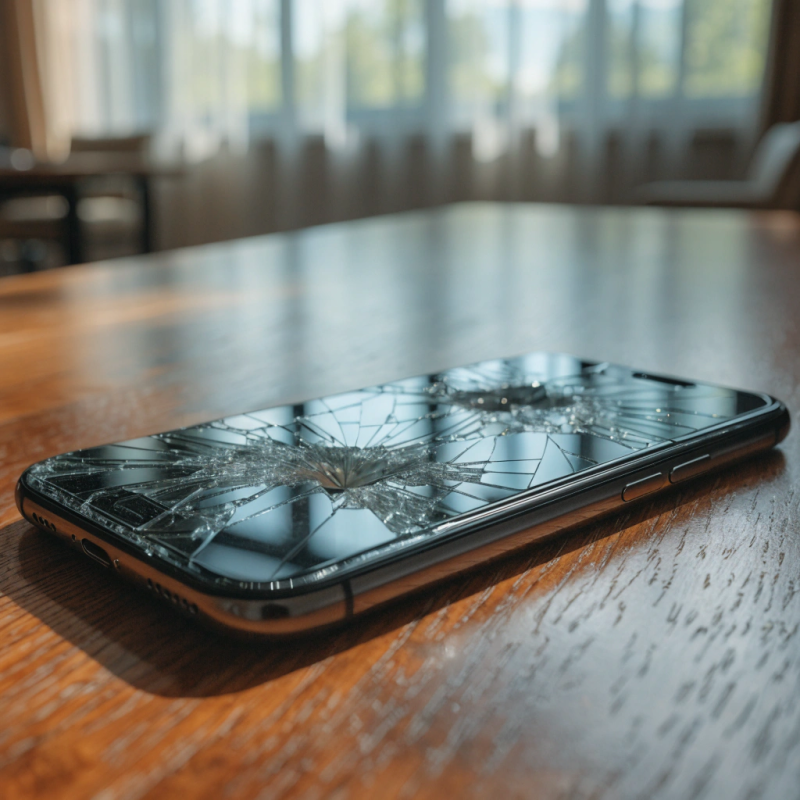
- Cracked Screen – Needs professional screen replacement.
- Bent Frame or Hinges – Can strain internal components.
- Liquid Damage – Even if the laptop still works, corrosion can occur later.
Many electronics repair services in Trenton and tablet repair in North Brunswick shops also specialize in liquid damage cleanup to save your device.
10. Outdated or Failing Hardware
Sometimes, the problem isn’t failure — it’s outdated components that can’t keep up.
- Slow Performance – May be solved with RAM or SSD upgrades.
- Compatibility Issues – Older hardware may not support newer operating systems or software.
- Frequent Overheating – Older laptops may need deep cleaning and thermal paste replacement.
Being able to spot troubles early is the most prudent investment you will make on your laptop and on your wallet. Whether it is slow performance and overheating, problems with the display, or weird sounds, these are all indicators that your laptop needs professional repair.
With prompt action and expert help, you will be able to ensure that little problems do not turn into big and costly trouble, making your laptop last for years to come.
FAQs
1. What are the top signs my laptop needs repair?
Slow boot-up, overheating, strange noises, and frequent freezes usually mean it’s time for professional help.
2. Can I repair my laptop at home?
Simple fixes like cleaning dust or replacing a charger are fine; complex hardware issues need experts.
3. How much does a laptop repair usually cost?
It depends on the problem—small fixes are budget-friendly, but screen or motherboard repairs cost more.
4. What problems do repair shops see most often?
Broken screens, battery failures, faulty charging ports, and unresponsive keyboards top the list.
5. Should I fix my old laptop or buy a new one?
If it’s over 5 years old and the repair is costly, replacing might be a smarter choice.
6. How can I avoid frequent laptop repairs?
Keep it cool, run updates, use antivirus software, and handle it with care.
7. How long does professional laptop repair take?
Quick fixes can be done in hours; major part replacements may take a few days.
8. Can liquid-damaged laptops be saved?
Yes—turn it off immediately, don’t try to charge it, and take it to a repair shop fast.
9. What should I do before handing my laptop to a technician?
Back up your data, remove personal files, and share a clear problem list with the technician.
10. Will repairing my laptop cancel the warranty?
If repaired at an unauthorized shop, yes—always check warranty terms before proceeding.